
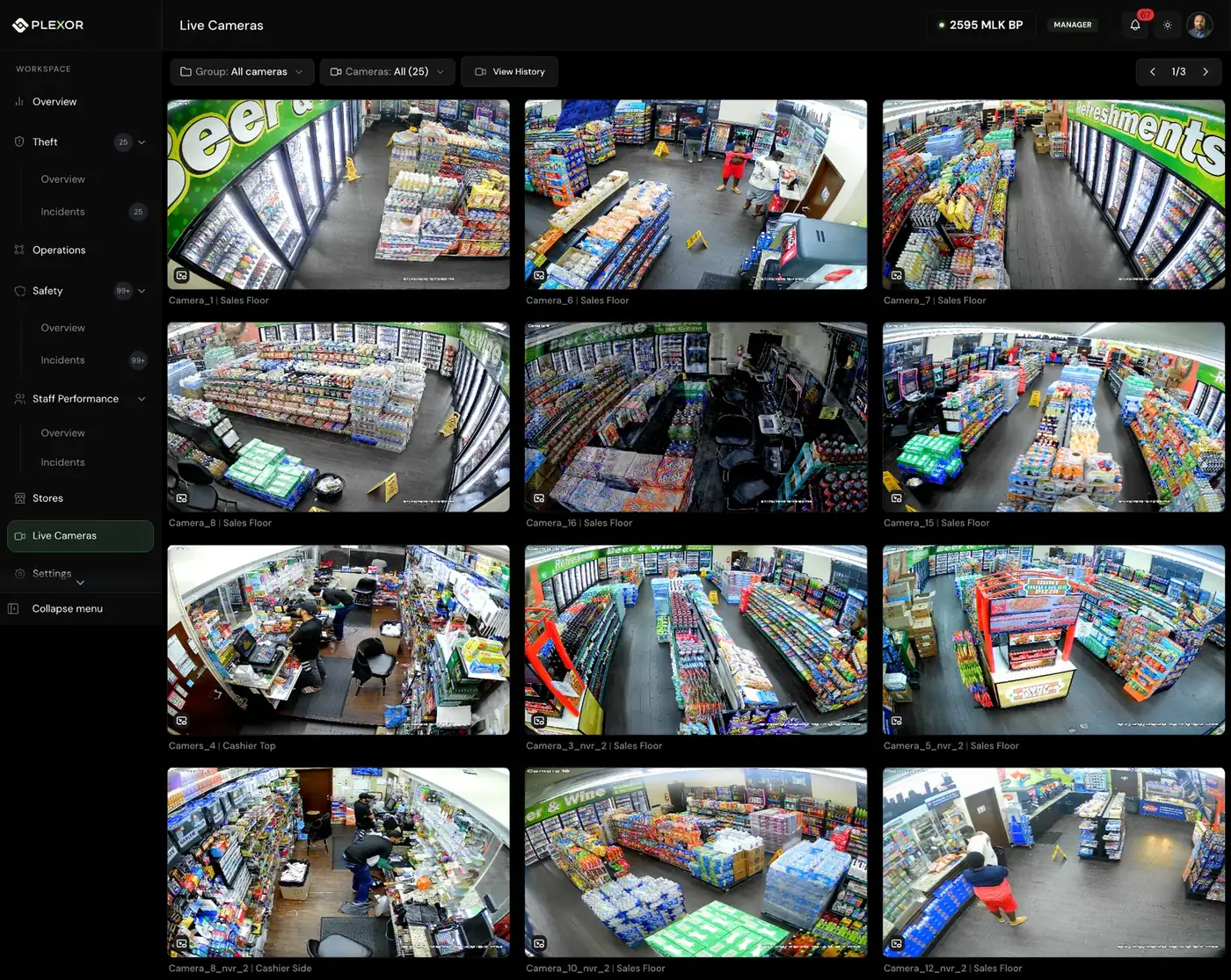
THE MOMENT
Plexor surfaces the moment that needs review.
It analyzes movement across the whole clip, not just a single frame, and brings the event forward for human review.
 Skip to content
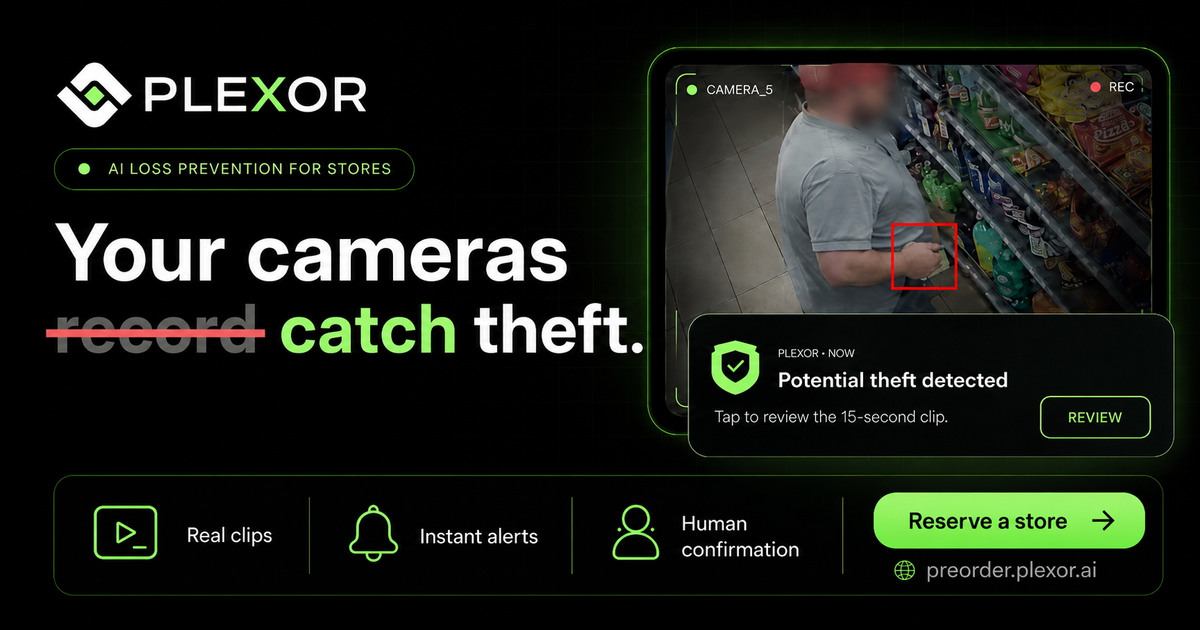
Plexor turns your existing cameras into AI-powered loss prevention. It flags potential customer theft and visible employee cash pocketing, sends the exact clip to your phone, and puts you in control of the response.
Camera Compatibility GuaranteeIf Plexor determines that it cannot support the cameras already in a reserved store, that store’s deposit is refunded.
A small item moved toward a pocket and was no longer openly visible.
Every store has a thousand small moments a day. Most of them do not need you. A few of them do. This is one day in one store as Plexor sees it: the shelf, the register, the entrance and the line at the counter.
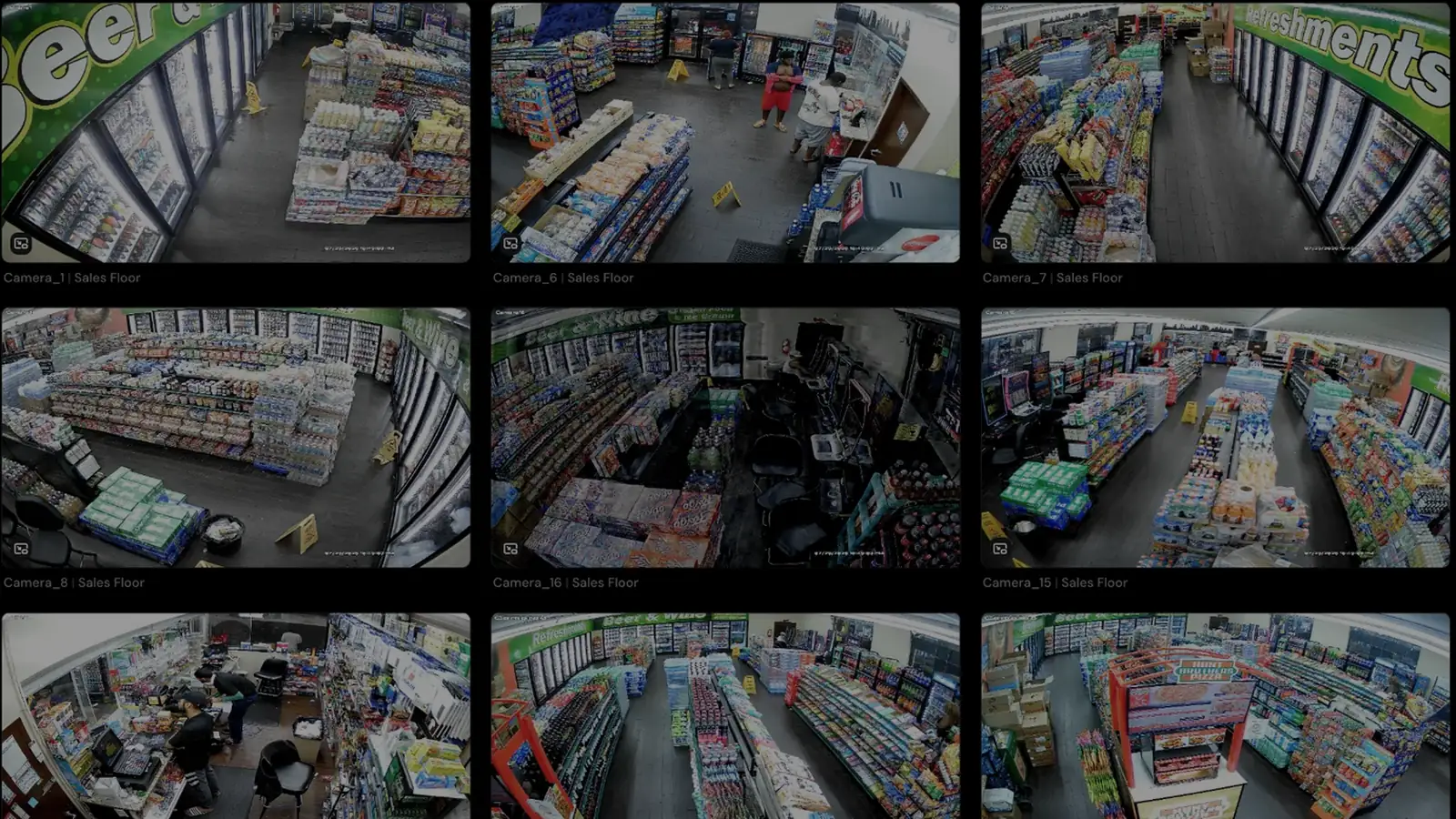
Customer theft detection is live in stores today. The register, safety, operations and productivity moments show where the same cameras go next; the roadmap below has the details.
Plexor is already running in independently operated convenience stores displaying these fuel brands. Customer-theft detection is live today, with visible employee cash-pocketing detection included at launch.




Brand marks identify fuel banners displayed at locations using Plexor; they do not imply endorsement or a corporate partnership.
Each $250 deposit reserves one location and is applied to that store’s first month. Plexor will be $250 per store per month at launch, and reserved locations receive priority in the rollout.
Plexor surfaces the moment and sends the exact clip to the owner or manager. You review the event and its context, then decide what happens next.
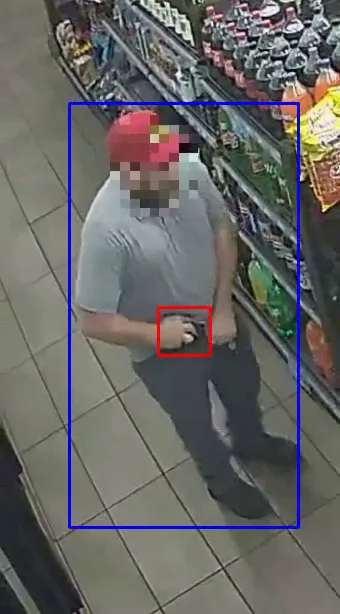 0:15
Store 2595 · Camera 5
Possible concealment in the snack aisle.
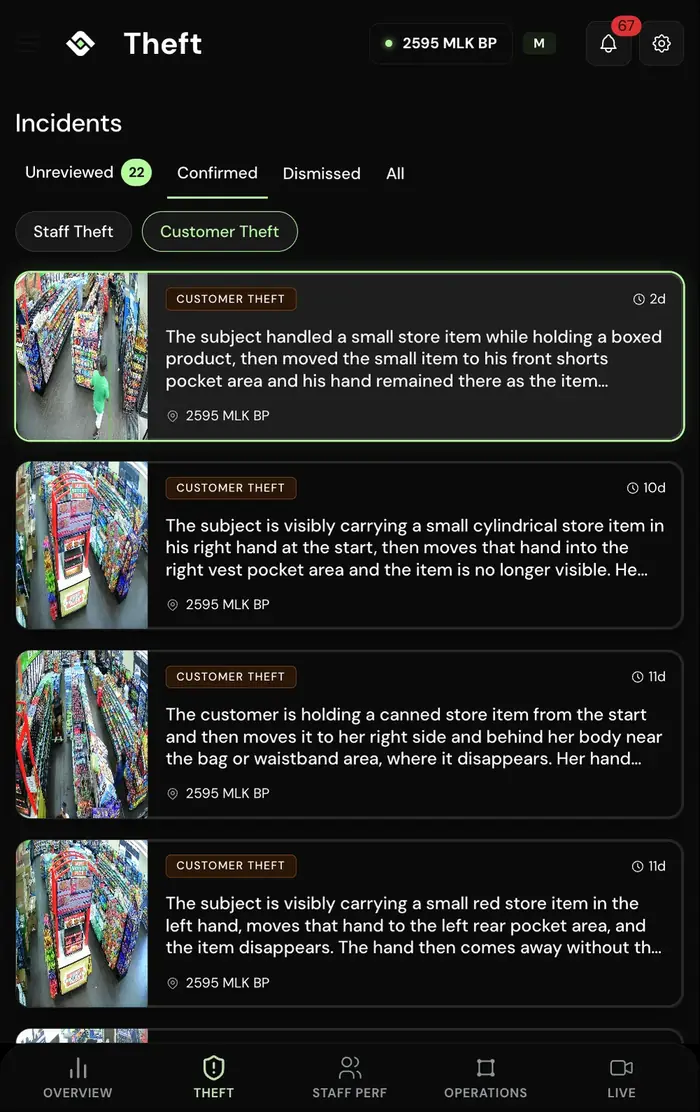
Choose the response that fits the situation and your store policy.
Any in-store response should follow store policy and applicable law.
Confirmed and dismissed incidents, with the date, camera, clip and notes, in one list.
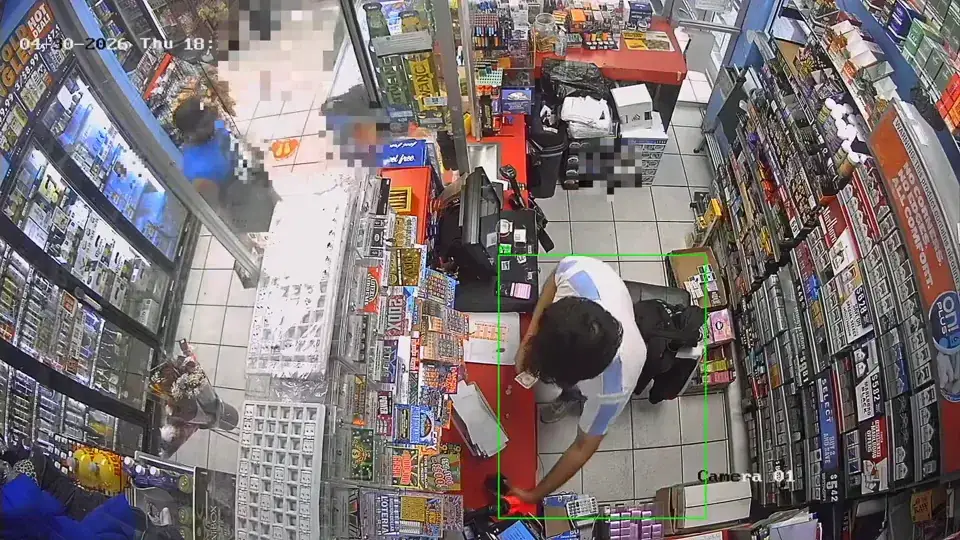
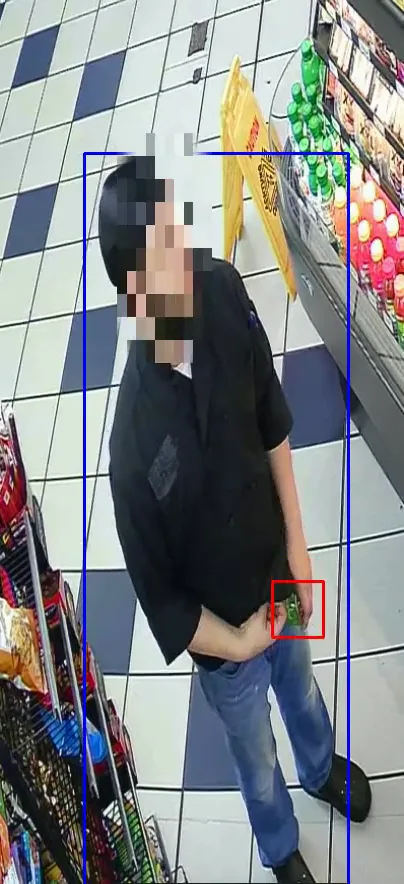
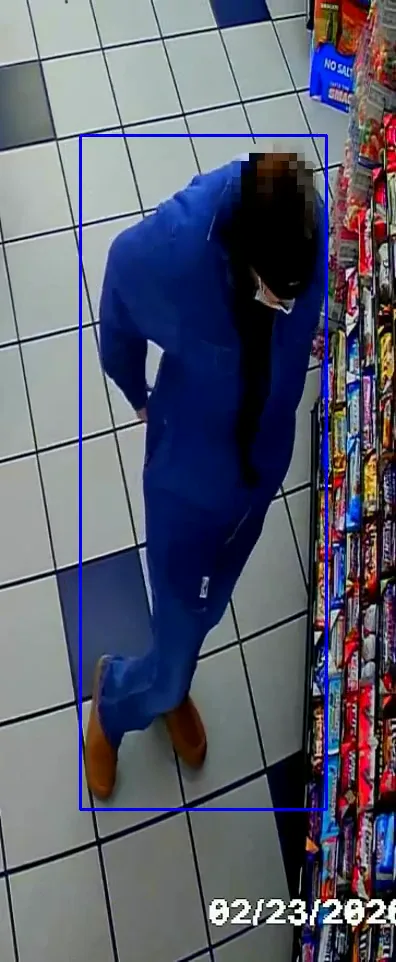
It analyzes movement across the whole clip, not just a single frame, and brings the event forward for human review.
It analyzes movement across the whole clip, not just a single frame, and brings the event forward for human review.
Open the incident from the alert. No scrubbing through an entire shift or waiting for inventory counts to reveal the loss.
You see the event, the surrounding context, the camera, store, and timestamp before making the call.
Alert the store, keep watching, or export the evidence. Plexor gives you options, not one forced response.
Confirmed and dismissed incidents are saved with the date, camera, clip, store and notes. Repeat offender files, which link a returning person to that history, come after launch.
Plexor gives owners one review workflow for customer concealment and visible employee cash pocketing.
Review the moment an item moves into a pocket, a bag or out of view, along with the surrounding clip, before deciding what happened.
At launch, Plexor flags moments when cash appears to move into an employee’s pocket and sends the clip for private owner review. It does not compare camera activity with POS transactions.
POS-linked alerts will flag suspicious or potentially fraudulent activity for review, including voids, refunds, no-sale transactions, under-ringing and sweethearting.
Each confirmed incident is stored with the clip, context, store, timestamp, decision and notes, so your team has one record to return to.
Reviewable clipsKeep the event and surrounding context together.
Incident historyEvery confirmed and dismissed incident in one searchable list per store.
Shareable evidenceExport or share the incident with authorized people who need it.
Case files should be used under your store policies and applicable privacy, employment, and local laws.
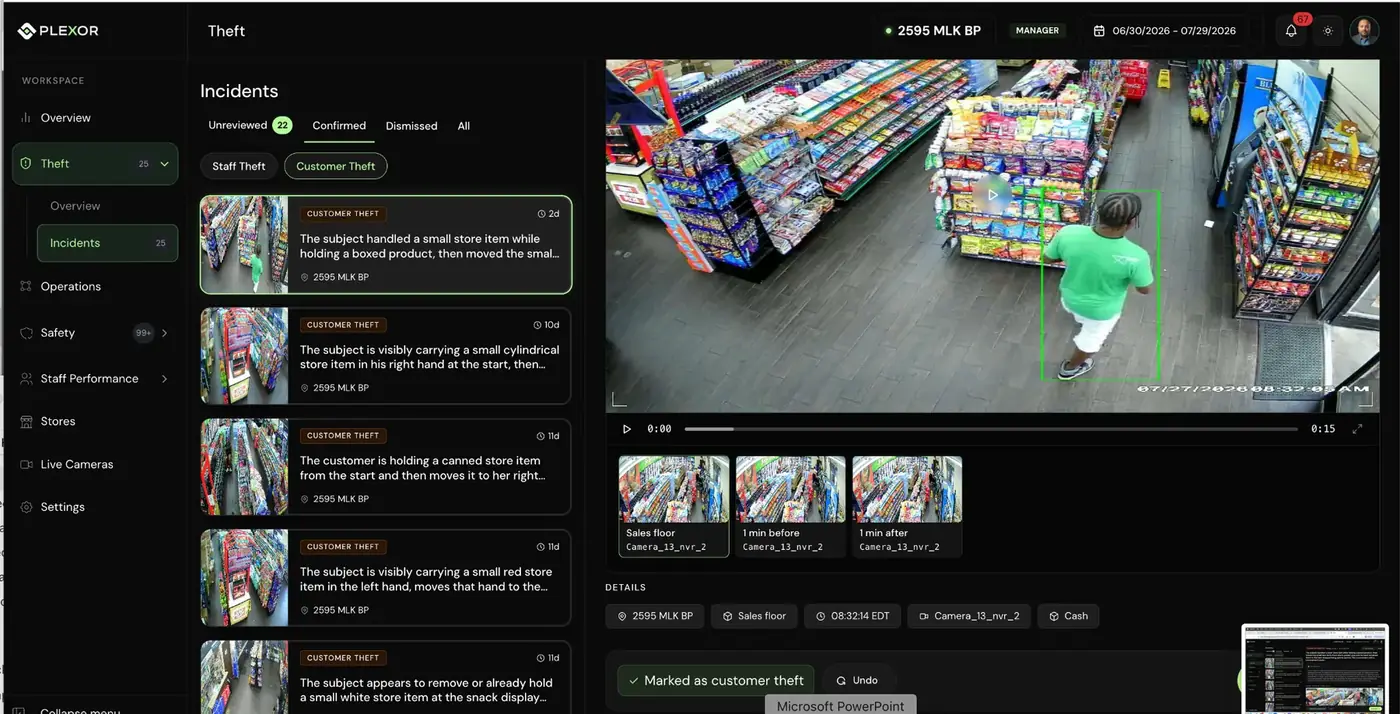
Choose one store or reserve multiple locations in the same secure checkout.
These workflows are planned for later releases. Availability will depend on each store’s setup and rollout phase.
Plexor will connect video with POS activity to flag suspicious or potentially fraudulent activity for review, including voids, refunds, no-sale transactions, under-ringing and sweethearting.
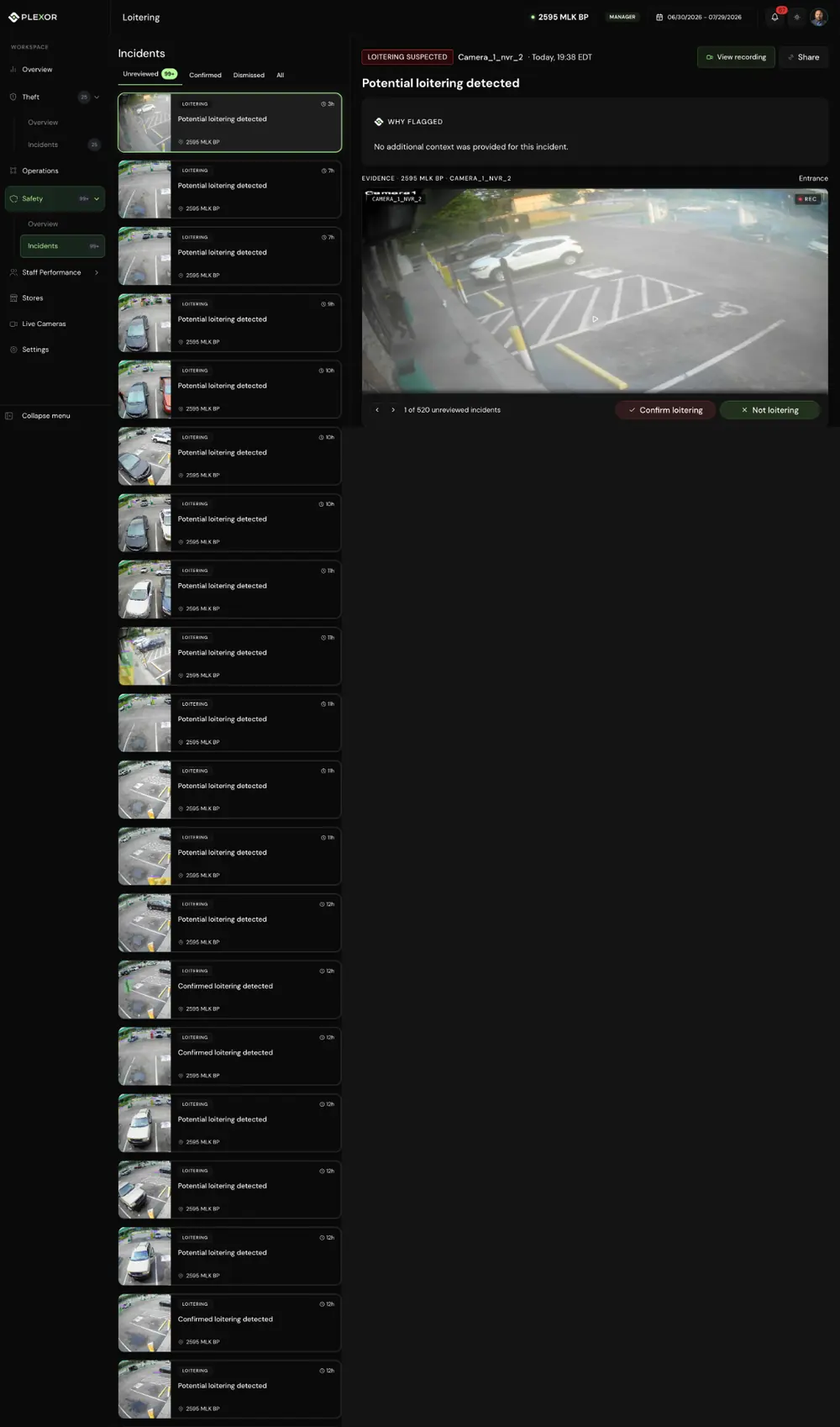
Flag prolonged exterior dwell and open the relevant camera clip.
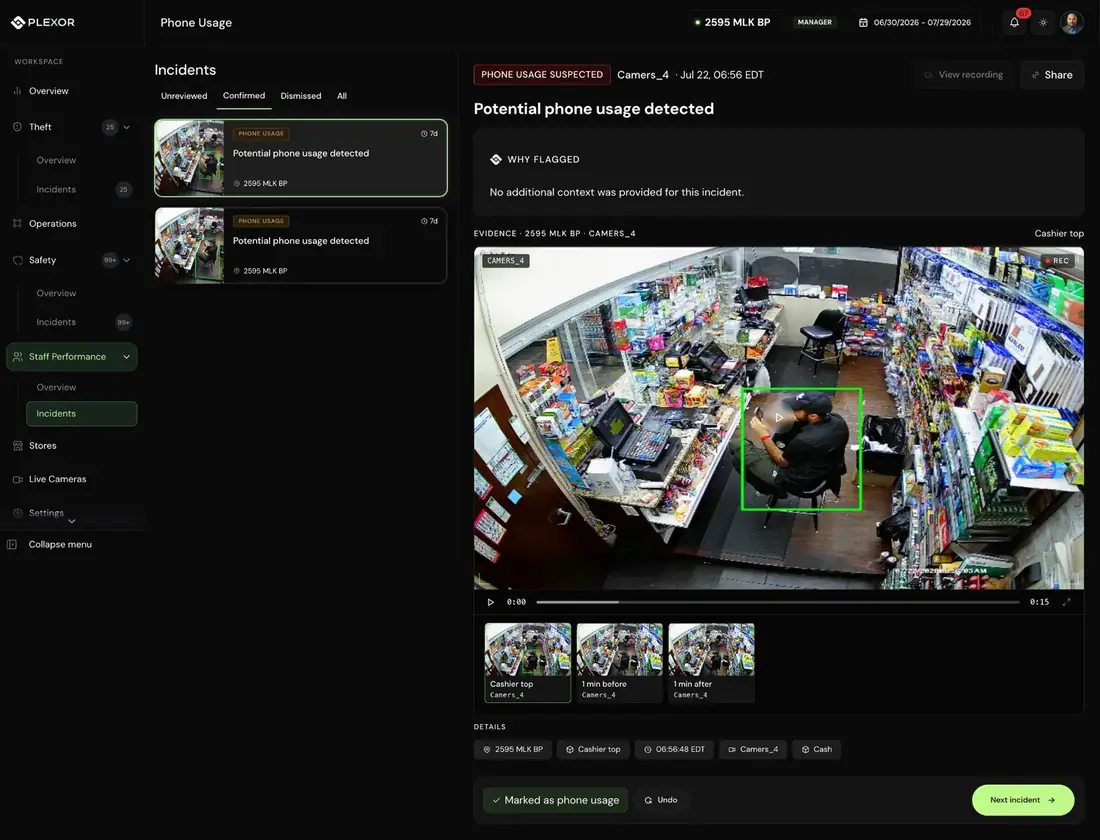
Set a threshold and review the relevant clips when phone use exceeds it.
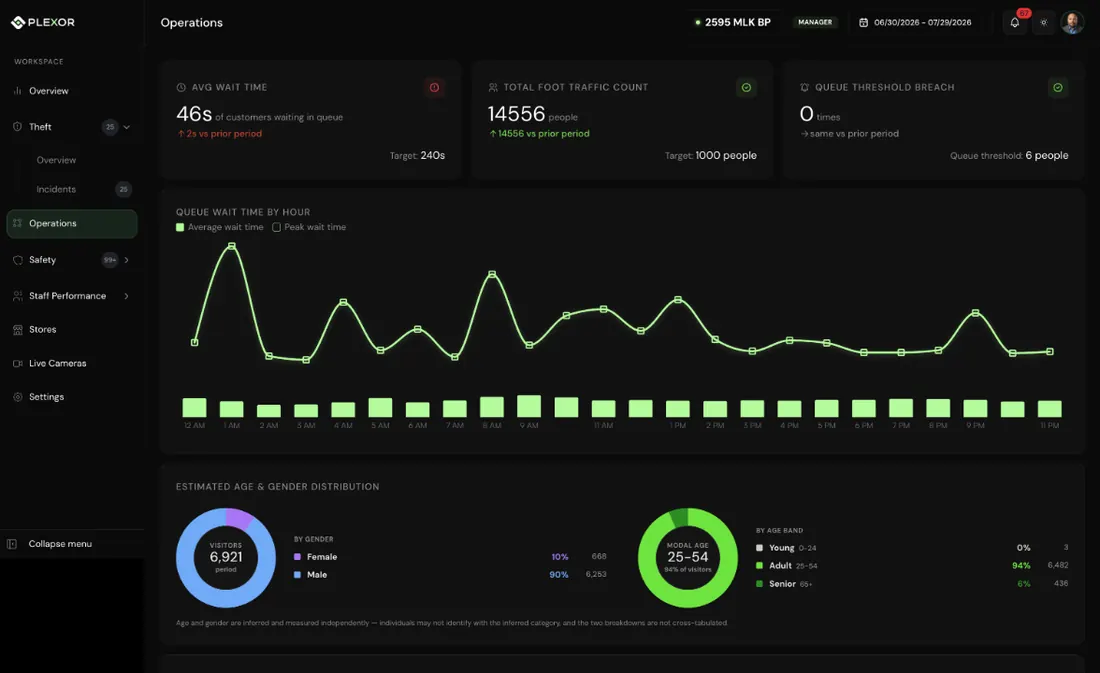
Track live wait times, hourly patterns, and threshold breaches.
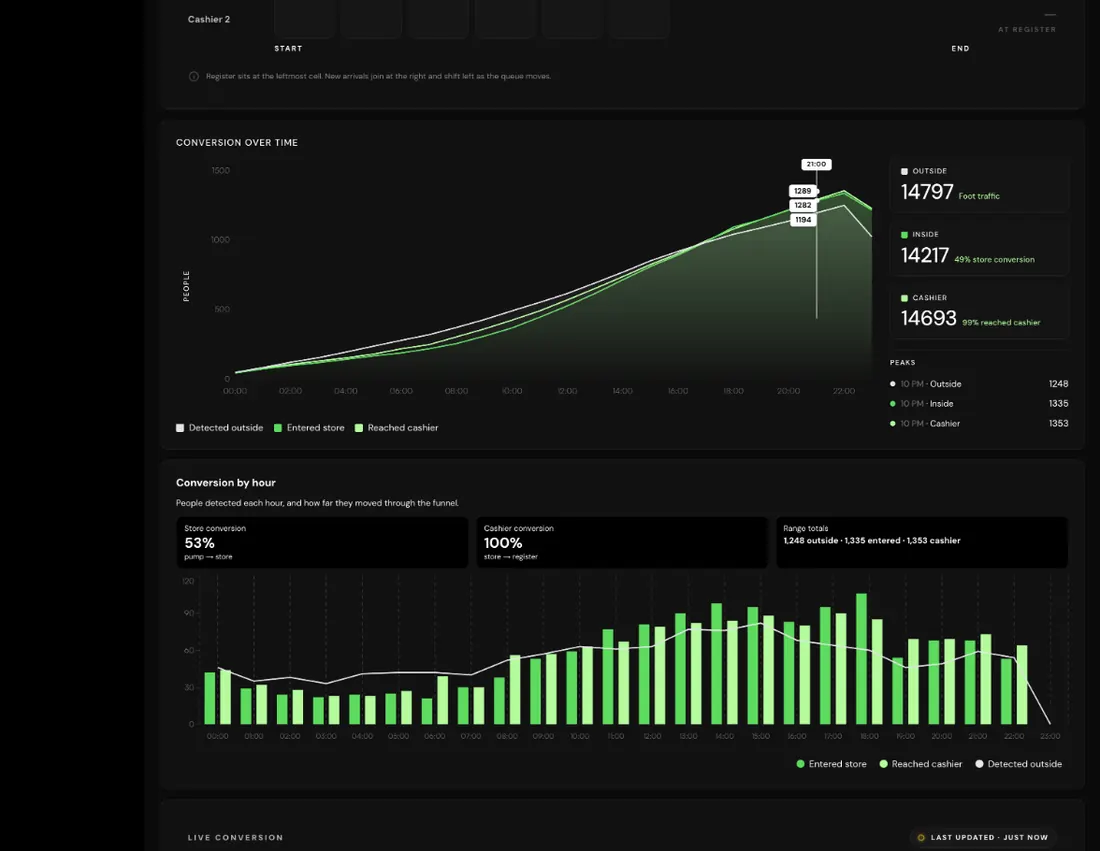
Track how visits move from outside to inside to the cashier, by hour.
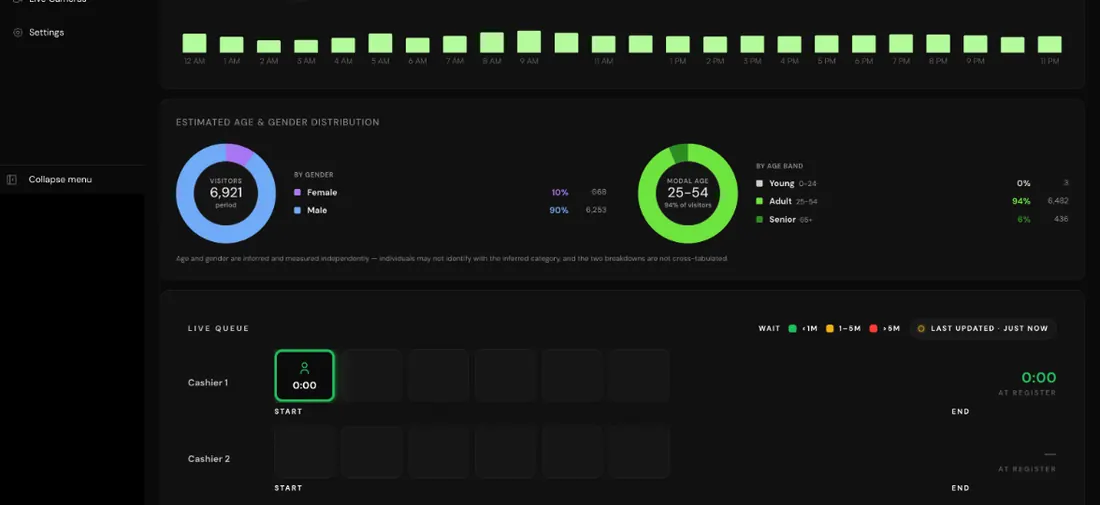
View aggregated, estimated visitor segments and daypart patterns.
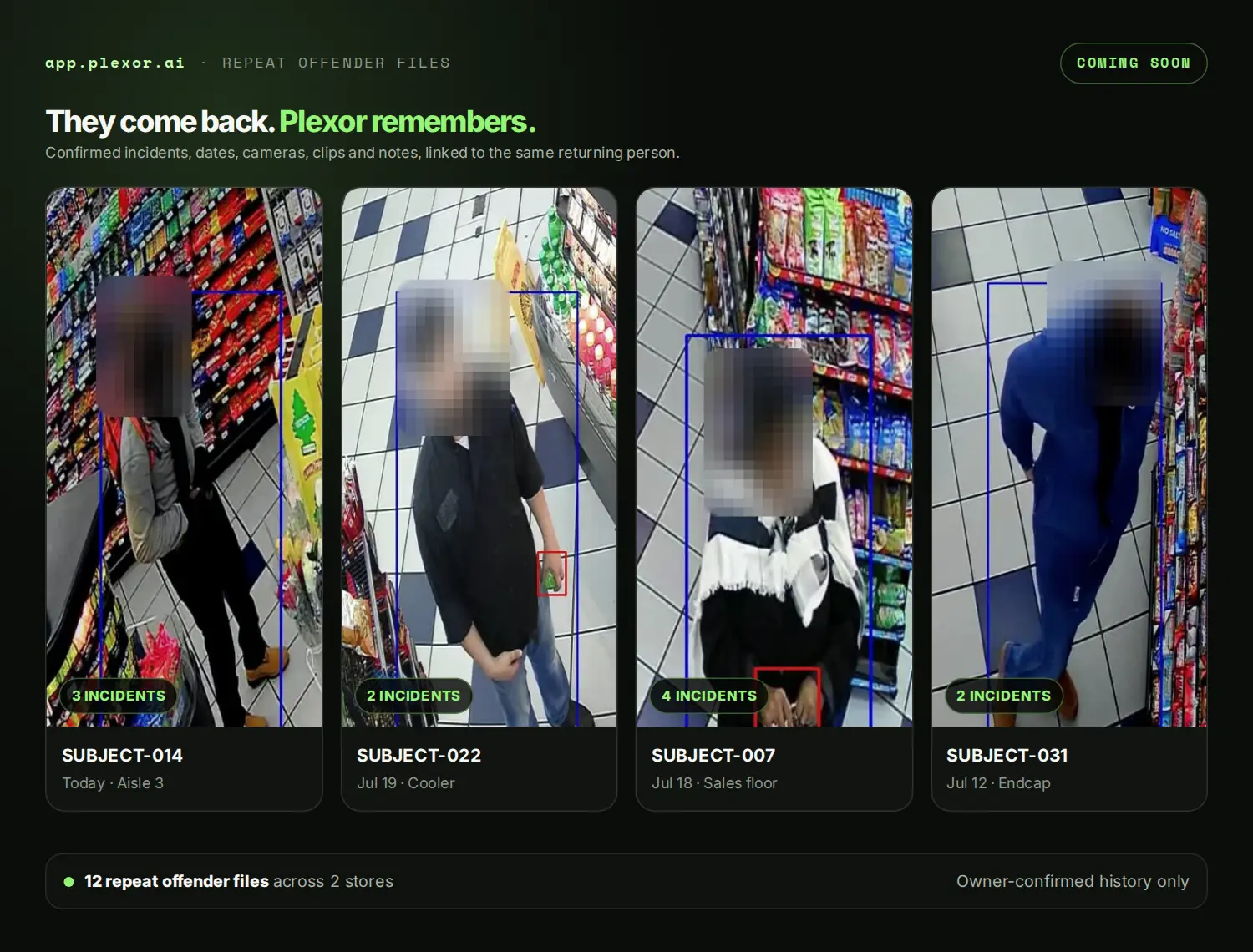
Link a returning person to their confirmed incident history, with stills, dates, cameras and notes.
Each $250 deposit reserves one store and is applied to that store’s first monthly payment. Plexor will be $250 per store per month at launch. Choose how many stores to reserve at checkout; customers who reserve receive priority as onboarding begins over the next few months.
Compatibility guaranteeIf Plexor cannot support the existing cameras at a reserved store, that location’s deposit is refunded.
Reserve one or multiple stores in secure checkout.
Each reserved location follows the same straightforward path.
Choose one or multiple locations during checkout. Each $250 deposit holds one store’s place in the rollout.
We review the cameras already in each store and confirm the views needed for launch detection.
Reserved stores are first in line as onboarding capacity opens over the next few months. Plexor then coordinates go-live timing and alert settings.
If Plexor cannot support a reserved store’s existing cameras, that store’s deposit is refunded.
No. Plexor is designed to work with the cameras already in your store. We confirm compatibility during onboarding.
If Plexor determines during compatibility review that it cannot support the cameras already in a reserved store, Plexor refunds the deposit for that location.
No. Plexor flags a potential event and shows the clip with the surrounding context. The owner or manager confirms or dismisses it.
At launch, Plexor focuses on visible employee cash pocketing. It flags moments when cash appears to move into a pocket and sends the clip for private owner review. It does not compare the camera event with POS transactions at launch. After launch, planned POS-linked alerts will surface suspicious or potentially fraudulent activity for review, including voids, refunds, no-sale transactions, under-ringing and sweethearting.
Plexor will be $250 per store per month at launch. A $250 deposit reserves one store and is applied to that store’s first monthly payment.
Your selected locations are reserved, Plexor reviews camera compatibility for each store, and compatible locations enter the priority rollout. Plexor coordinates go-live timing and alert settings as onboarding capacity opens.
We expect to begin onboarding reserved stores over the next few months. Reservation customers will be first in line as capacity opens, and timing is confirmed for each location directly.
Yes. Choose the quantity of stores in secure checkout. Each $250 deposit reserves one store and is applied to that store’s first monthly payment. The ongoing price is $250 per store per month.
